
Why Default Microsoft 365 Settings Fail Cyber Essentials: A 2026 Audit-Ready Configuration Guide for UK SMEs
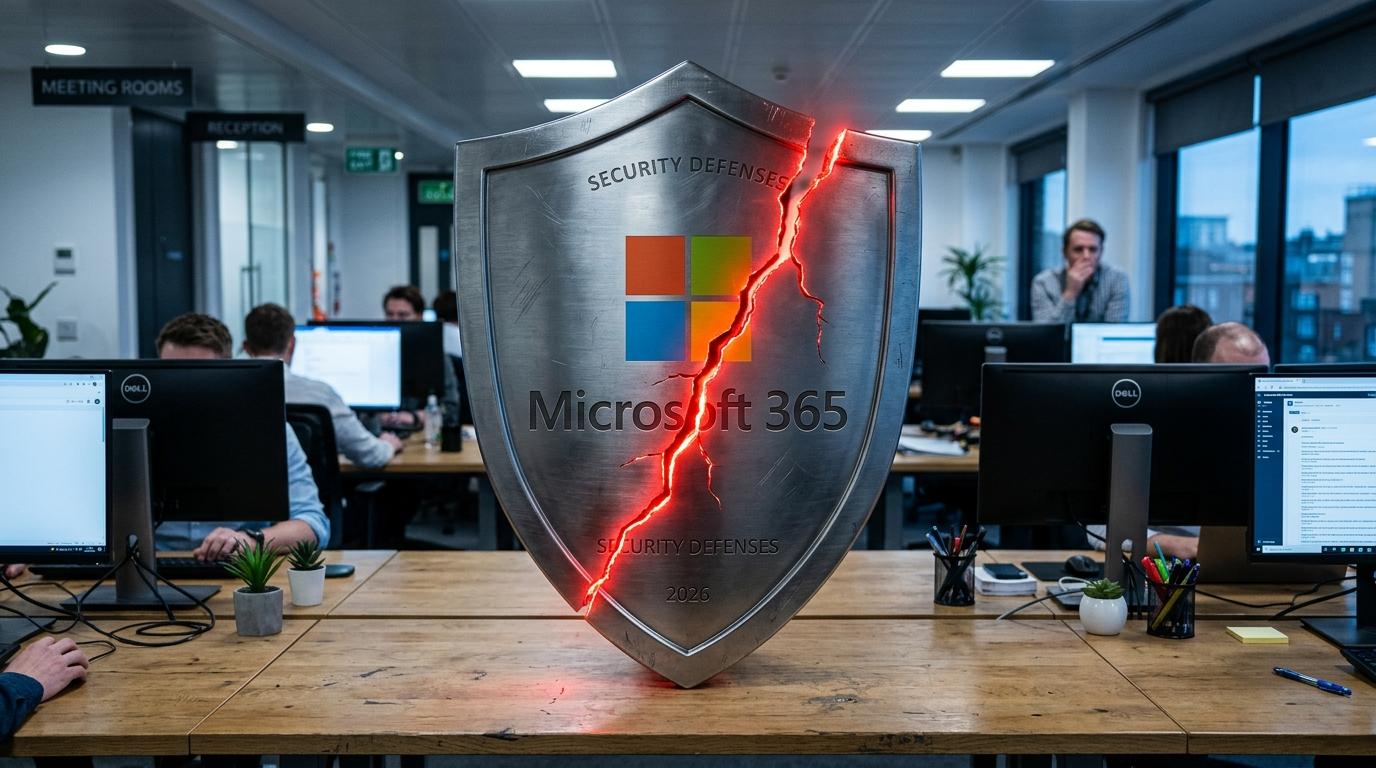
Why Default Microsoft 365 Settings Fail Cyber Essentials: A 2026 Audit-Ready Configuration Guide for UK SMEs
When “Secure by Default” Isn’t Enough
THE FIRST SIGN OF TROUBLE ISN’T THE RANSOM NOTE – IT’S THE FAILED CYBER ESSENTIALS PLUS REPORT LANDING IN THE MD’S INBOX.
The SME thought Microsoft 365 “came secure out of the box”. MFA was enabled for admins, Windows Update “mostly worked”, and the IT support contract looked reassuring. Yet the assessor’s notes were brutal: missing tenant-wide MFA, unmanaged laptops, legacy firmware, and shadow SaaS all triggered non-compliances. Under the 2026 Danzell question set, these aren’t soft warnings – MFA and 14‑day patching gaps are automatic fails.
This article shows how to close that gap: taking a vanilla Microsoft 365 tenant and turning it into a Cyber Essentials–aligned, CE+ audit‑ready environment.
What you’ll learn
- Why an un-hardened Microsoft 365 tenant will not pass Cyber Essentials v3.3 from April 2026
- How updated scoping rules pull all of Microsoft 365 (and related SaaS) into assessment scope
- A practical Entra ID (Azure AD) configuration blueprint: MFA, passwordless, and admin separation
- How to use Intune, security baselines and patch policies to meet the 14‑day update requirement
- How to prepare Microsoft 365 specifically for Cyber Essentials Plus hands-on testing
- The counter‑intuitive shift from “strong passwords” to passwordless and passkeys
- What UK SME leadership must sign for – and how IT can make that promise realistic
Why Microsoft 365 Defaults and Cyber Essentials v3.3 Collide
Out-of-the-box Microsoft 365 is designed for rapid productivity, not for passing a compliance audit with automatic fail conditions. Cyber Essentials v3.3, effective from April 2026, tightens marking so that missing MFA or delayed patching leads to immediate failure, regardless of other strengths.
For UK SMEs running most of their business in Microsoft 365, this means default settings are no longer acceptable. The tenant must be deliberately configured to meet all five Cyber Essentials technical controls – with particular focus on user access control, secure configuration and update management.
Where defaults fall short against Cyber Essentials
Common gaps in a new or lightly managed Microsoft 365 environment include:
- MFA not enforced for all users and all cloud services
- No clear separation between admin and standard user accounts
- Weak or inconsistent device management, especially for BYOD and contractors
- Default sharing and consent settings that allow excessive access or shadow IT
- Patch management left to individual users or ad hoc RMM tools
Cyber Essentials 2026 changes the game:
- MFA for all cloud services where available is an auto‑fail control if missing.
- High‑risk / critical patches for OS, applications, router and firewall firmware must be applied within 14 days, also an auto‑fail if missed.
- Any internet‑connected device or cloud service handling organisational data is in scope unless technically segregated.
Key Takeaway
Treat Microsoft 365 as a regulated environment, not a consumer SaaS. “Reasonably secure” is no longer enough; controls must be explicit, enforced and evidence‑able.
Scoping Microsoft 365 Correctly for Cyber Essentials
Cyber Essentials v3.3 removes most of the historic ambiguity around what is in scope. For Microsoft 365‑centric SMEs, this usually means far more is in scope than management initially expects.
If a user logs in with a business email address and data belongs to the organisation, it is in scope. That covers core Microsoft 365 workloads and the wider SaaS ecosystem federated to Entra ID.
What’s in scope for a Microsoft 365‑centric SME
Under the 2026 rules, an SME must assume the following are in scope unless provably segregated:
- Microsoft 365 core services: Exchange Online, SharePoint Online, OneDrive for Business, Teams
- Entra ID itself (identities, conditional access, MFA)
- Linked SaaS using corporate identities: CRM, finance, HR, marketing tools, ticketing, etc.
- All devices that access these services: desktops, laptops, smartphones, tablets, thin clients, VDI endpoints
- Network equipment: office firewalls/routers, VPN appliances, wireless access points that control data flows to/from those devices
Crucially, cloud services cannot be excluded on the basis that “the provider manages security”. Under the shared responsibility model, Microsoft secures the platform; you are responsible for tenant configuration, user access control and data protection.
Building an audit‑proof scope register from Microsoft 365
A practical scoping approach for SMEs:
-
Export Entra ID users & devices
- Use Entra portal or PowerShell to list all enabled users, guest users, registered devices and device owners.
-
Inventory SaaS applications
- Review “Enterprise applications” in Entra ID for SAML/OIDC apps.
- Check user‑initiated app registrations and OAuth consents.
-
Map networks and boundaries
- Document all locations where Microsoft 365 is accessed: HQ, branches, home workers, serviced offices.
- Include internet edge devices for those sites.
-
Document exclusions and segmentation
- If any network or system is claimed as out of scope, document the technical segregation (e.g. VLANs, air‑gap).
Mini‑Checklist – Microsoft 365 Scoping for Cyber Essentials
- Every Microsoft 365 workload listed in your scope statement
- All SaaS apps using Entra ID logins identified
- All user device types (including BYOD and contractor laptops) documented
- All internet‑facing firewalls/routers recorded with make, model and firmware status
- Justifications written for anything excluded, referencing technical segregation
Locking Down Identity: MFA, Passwordless and Access Control in Entra ID
User Access Control is one of the most failed Cyber Essentials areas, and from 2026 MFA misconfigurations move from “major issues” to automatic fails. Microsoft 365 identity is therefore the primary control surface to get right.
The objective is clear: enforce MFA (preferably passwordless) for every account, separate admin and standard identities, and implement brute‑force protection.
Designing a Cyber Essentials‑aligned Entra ID configuration
1. Enforce MFA for all users and all cloud services
Cyber Essentials now mandates MFA on every in‑scope cloud service where it is available, regardless of licence cost. In Microsoft 365 that means:
- Use Security Defaults or Conditional Access – not neither.
- Ensure all user types are covered: standard users, admins, service accounts, break‑glass accounts and contractors.
- Prefer authenticator apps, FIDO2 keys, Windows Hello or passkeys; SMS is acceptable but discouraged due to known weaknesses.
2. Implement passwordless / passkeys where feasible
The NCSC now recommends passkeys as the default login method. Within Microsoft 365 this can be realised via:
- FIDO2 security keys registered in Entra ID
- Windows Hello for Business on domain‑joined / Intune‑managed devices
- Platform passkeys where supported by browsers and devices
Password policies must align with Cyber Essentials and NCSC guidance:
- Minimum 8 characters where MFA + throttling are enforced, or 12 characters if MFA is impossible.
- No forced periodic password expiry; change only on suspicion or evidence of compromise.
- Brute‑force protection via lockout or throttling after a limited number of failed attempts.
3. Separate and secure administrative access
Cyber Essentials requires:
- Dedicated admin accounts (e.g.
admin.j.smith@…) used only for administrative tasks. - Standard accounts for day‑to‑day email, Teams and browsing.
- No local admin rights on user endpoints.
- MFA mandatory on all admin accounts and privileged roles.
Entra ID tools that help:
- Privileged Identity Management (where licensed) for just‑in‑time elevation.
- Role‑based access control with least privilege rather than blanket Global Admins.
Pro Tip – Proving MFA Enforcement to a CE+ Assessor
Prepare screenshots or a short demo showing:
- Conditional Access policies targeting All users and All cloud apps
- Exclusion logic only for tightly controlled break‑glass accounts, with compensating controls
- Sample user login flow using an authenticator app or FIDO2 key
Secure Configuration and Baselines for Microsoft 365 and Windows Endpoints
Secure Configuration is another high‑failure control, with misconfigured defaults and legacy settings a common root cause. Microsoft 365 and Windows devices expose thousands of options; Cyber Essentials expects them to be rationally hardened, not left on legacy defaults.
Microsoft’s own security baselines exist precisely because manually trawling through every GPO and setting is unrealistic for SMEs.
Using Microsoft Security Baselines to satisfy Secure Configuration
Microsoft provides Security Baselines for Windows and key Microsoft 365 workloads. These:
- Filter thousands of available settings down to those with security impact.
- Encode industry‑standard guidance from Microsoft engineering teams and partners.
- Are shipped as consumable artefacts (GPO backups, Intune baselines) so SMEs can deploy them quickly.
Practical approach:
-
Adopt baselines, don’t reinvent them
- For domain‑joined or Intune‑managed devices, start with the official Windows baseline for your version.
- Apply matching baselines for Microsoft Defender, Microsoft Edge and (where applicable) Office.
-
Meet specific Cyber Essentials configuration points
Cyber Essentials 2026 emphasises:
- Password length rules as above, with account lockout after a limited number of failed attempts.
- Disabling auto‑run/auto‑play on endpoints.
- Removing or changing default manufacturer passwords on all appliances (including printers, switches and Wi‑Fi APs).
- Ensuring built‑in host firewalls (e.g. Windows Defender Firewall) are enabled and non‑admin users cannot disable them.
-
Harden Microsoft 365 collaboration and sharing
From a CE+ lens, assessors will look for:
- External sharing in SharePoint/OneDrive restricted to intended partners, ideally by domain allow‑lists.
- Sensible default link types (e.g. “specific people” instead of “anyone with the link”).
- Third‑party app consent in Entra ID restricted to admins, not end users.
Key Takeaway
Using Microsoft Security Baselines is the fastest way for an SME to demonstrate that secure configuration has been addressed systematically, rather than via ad hoc individual settings.
Patching, Device Management and BYOD in a 14‑Day World
From April 2026, Cyber Essentials questions on patching become auto‑fail: high‑risk or critical updates for operating systems, applications, router and firewall firmware must be installed within 14 days of release. Reasons for delay are irrelevant.
For Microsoft 365 environments, that means bringing Windows, Office, browsers and network firmware into a coherent, monitored update regime – including home‑working and BYOD scenarios.
Building a 14‑day patching regime around Microsoft 365
Key design elements:
-
Centralised update management
- Use Intune or equivalent to manage Windows Update for Business policies, Office update channels and browser updates.
- Ensure devices are online and checking in regularly; rarely‑used laptops are a frequent CE+ failure point.
-
Network device firmware
- Maintain an inventory of office and branch routers, firewalls, VPN gateways, wireless controllers and managed switches.
- Track vendor advisories and schedule firmware updates inside the 14‑day window for critical vulnerabilities.
- If a patch breaks critical functionality and cannot be deployed, Cyber Essentials expects complete network isolation of that system – no inbound or outbound internet connectivity.
-
Applications and extensions
- Use Intune, application management tools or golden images to ensure business‑critical apps and browser extensions are updated promptly.
- Remove unsupported or unused software; any End‑of‑Life product in scope is effectively an automatic failure unless isolated.
Handling BYOD and contractor devices
Cyber Essentials 2026 clarifies that any device accessing organisational data is in scope, even if it only accesses a VDI or web portal.
For Microsoft 365:
- Use mobile device management (MDM) with work profiles on iOS/Android to containerise corporate data, so controls apply only to the corporate profile.
- For contractor laptops, either onboard them into your Intune / device management domain or tightly constrain their access (e.g. published VDI with strong isolation and assessed controls).
Mini‑Checklist – Patching & Devices
- Intune (or equivalent) managing Windows, Office and browser updates
- Firmware update process for each firewall/router/Wi‑Fi vendor with 14‑day SLA for critical patches
- Routine reports confirming no in‑scope devices are running unsupported OS or applications
- BYOD and contractor access governed by MDM or explicit, documented technical controls
Proving It: Making Microsoft 365 Audit‑Ready for Cyber Essentials Plus
Cyber Essentials Plus is where theory meets practice. Assessors perform live tests against your Microsoft 365‑backed environment: vulnerability scans, malware tests, and verification of MFA and access controls. A single non‑compliant sampled device can cause failure, and under the 2026 rules, repeat failures can even revoke your base Cyber Essentials certificate.
For SMEs, the goal is to make the CE+ visit a confirmation of work already done – not a discovery exercise.
What CE+ assessors will expect to see in a Microsoft 365 estate
Typical CE+ activities that touch Microsoft 365:
- Verification that MFA is enforced across all Entra ID accounts and cloud apps.
- Checks that admin accounts are separate, privileged roles are minimised, and MFA is required for admin portals.
- Sampling of Windows endpoints for:
- Patch levels and update history
- Secure configuration (firewall on, anti‑malware active, auto‑run disabled)
- Local admin rights removed from normal users
- Attempts to download safe test malware (e.g. EICAR) to confirm endpoint controls.
Preparing evidence and running an internal mock audit
Pragmatic preparation steps:
-
Run your own vulnerability and compliance scans
- Use your RMM, Intune reports or vulnerability scanner to identify missing patches or unsupported OS versions.
- Fix issues across the estate, not only on a small subset, as retesting now involves fresh random samples.
-
Create a concise Microsoft 365 security runbook
Include:
- High‑level architecture diagram showing tenant, admin roles, device management, and network boundaries.
- Screenshots or export of key controls: Conditional Access policies, MFA registration status, baseline deployments.
- Process descriptions for joiners/movers/leavers, patch management and incident response.
-
Perform a dry‑run device sampling
- Randomly select user devices from different locations.
- Validate they pass the same checks an assessor will perform (patch level, configuration, malware protection).
Key Takeaway
Approach Cyber Essentials Plus as a technical acceptance test of your Microsoft 365 security architecture. If you cannot internally prove a control is enforced, assume an assessor will find that weakness.
The Counter-Intuitive Lesson Most People Miss
The biggest shift in the 2026 Cyber Essentials update is philosophical: security moves away from user effort (complex passwords, manual patching) towards built‑in, automated, passwordless controls. Many SMEs still invest energy in training users to create ever‑more complex passwords, while leaving MFA optional and devices unmanaged – the exact opposite of what NCSC and IASME now expect.
For Microsoft 365 estates, the winning strategy is to reduce the amount of “security work” a human has to remember, and increase the amount enforced by the platform.
From passwords and policies to cryptography and configuration
Cyber Essentials v3.3 and NCSC guidance now explicitly:
- De‑prioritise forced password rotation and arbitrary complexity rules.
- Emphasise longer passwords or passphrases, and preferably passwordless logins.
- Elevate MFA to a binary gate: absent or mis‑configured MFA on any compatible cloud service is an automatic fail.
- Demand automation in patch management – manual best efforts are no longer acceptable for CE+.
In Microsoft 365 terms:
- Moving users to FIDO2 / passkeys or Windows Hello means they no longer manage passwords for core services.
- Intune and baselines ensure endpoints are kept within a secure configuration envelope without relying on users.
- Conditional Access enforces MFA, device compliance and location rules silently in the background.
Pro Tip
When explaining Cyber Essentials to leadership, stop talking about “strong passwords” and start talking about strong cryptography + enforced configuration. It reframes investment from user training to platform capability, which is exactly where CE+ assessors look.
Key Terms Mini-Glossary
Cyber Essentials audits are full of jargon that often crosses over with Microsoft 365 terminology. Understanding these terms makes it easier to design and document compliant configurations.
Below are concise, practitioner‑focused definitions tailored to Microsoft 365‑centric UK SMEs.
- Cyber Essentials – A UK government‑backed certification scheme run by the NCSC and IASME that validates five baseline technical controls against common cyber threats.
- Cyber Essentials Plus (CE+) – The higher tier of Cyber Essentials involving independent technical testing, device sampling and live verification of controls.
- Entra ID (Azure Active Directory) – Microsoft’s cloud identity and access management service that underpins Microsoft 365 logins, MFA, Conditional Access and SSO.
- Multi‑Factor Authentication (MFA) – An authentication method requiring at least two different factor types (knowledge, possession, inherence), now mandatory for all in‑scope cloud services.
- Passkey / FIDO2 Security Key – A passwordless authentication method using device‑bound cryptographic keys and (typically) biometrics or a PIN, strongly recommended by the NCSC.
- Conditional Access – Entra ID’s policy engine that evaluates conditions (user, device, location, risk) and enforces controls such as MFA or device compliance.
- Security Baseline – A curated set of recommended configuration settings from Microsoft that hardens Windows and Microsoft 365 products against common threats.
- Shared Responsibility Model – The principle that cloud providers secure the platform, while customers are responsible for configuration, identity, and data protection.
- MDM / Intune – Mobile Device Management technology (such as Microsoft Intune) used to configure, secure and monitor devices accessing Microsoft 365.
- Danzell Question Set (v3.3) – The Cyber Essentials 2026 assessment question set that introduces auto‑fail rules for MFA and patching without changing the five core controls.
Key Takeaway
When mapping Microsoft 365 to Cyber Essentials, always ask: “Is this a configuration I control or an underlying service Microsoft controls?” Cyber Essentials assesses the former.
FAQ
Cyber Essentials and Microsoft 365 raise recurring questions for UK SMEs. The answers below focus on what matters under the 2026 rules.
Does enabling Microsoft’s “Security Defaults” guarantee Cyber Essentials compliance?
No. Security Defaults are an excellent starting point, particularly for enforcing MFA, but they do not automatically cover all Cyber Essentials requirements. You still need to address patching, BYOD, firmware, admin separation, and scoping across your broader SaaS and device estate.
Is SMS‑based MFA acceptable for Cyber Essentials?
Yes, but it is considered the weakest MFA method. Cyber Essentials recognises SMS OTP but strongly prefers authenticator apps, FIDO2 keys, Windows Hello and other passwordless or app‑based methods due to the known vulnerabilities of SMS.
Can contractor and BYOD devices be kept out of scope if they only access Microsoft 365 via a browser?
No. From 2026, any device that accesses organisational data – including via web browsers or VDI – is in scope unless strongly segregated. The recommended approach is to use MDM work profiles or enrolment so you can enforce controls without intruding on personal data.
Do we have to buy higher‑tier Microsoft 365 licences to comply?
Possibly. Cyber Essentials now states that if a cloud service offers MFA or security features only on a paid tier, cost is not an acceptable reason to avoid enabling them. Many SMEs can meet requirements with Business Premium plus judicious use of Intune and baselines, but licence planning should be part of your Cyber Essentials readiness work.
How strict is the 14‑day patching rule in practice?
Very strict. High‑risk and critical updates for operating systems, applications, routers and firewalls must be installed within 14 days of release. Explanations such as “we were testing it” or “it might break an app” do not prevent failure; the only accepted mitigation for un‑patchable systems is complete isolation from the internet.
Can Cyber Essentials Plus revoke our basic Cyber Essentials certificate?
Yes. Under the 2026 regime, failing CE+ can result in the underlying Cyber Essentials certificate being revoked, requiring a full re‑assessment. Randomised re‑testing on new device samples is specifically intended to prevent “selective patching” just for audit day.
Pro Tip
Treat the basic Cyber Essentials questionnaire as design documentation for your Microsoft 365 security architecture – not as a marketing checkbox. CE+ will verify that architecture in real life.
Conclusion: Turning Microsoft 365 from Liability to Leverage
In the opening story, the SME’s confidence in “secure by default” Microsoft 365 collided hard with the 2026 Cyber Essentials rules. The failure wasn’t due to exotic zero‑days; it was caused by un‑enforced MFA, inconsistent patching and un‑scoped cloud services – all problems that Microsoft 365 can solve when configured deliberately.
For UK SMEs, the lesson is clear:
- Scope honestly: include every Microsoft 365 workload, SaaS integration and device that touches organisational data.
- Harden identity first: Tenant‑wide MFA (ideally passwordless), admin separation and brute‑force protection in Entra ID are non‑negotiable.
- Standardise configuration: adopt Microsoft security baselines and Intune policies instead of hand‑tuned endpoints.
- Industrialise patching: design a 14‑day update process for OS, apps and firmware, including home workers and BYOD.
- Practice the audit: run your own CE+‑style tests before the assessor does.
Do this, and Microsoft 365 shifts from being the reason you fail Cyber Essentials to the platform that makes passing – and staying compliant all year – both realistic and sustainable.


